

How Poke works with Supermemory
Poke lets you save something to memory and recall it later by messaging Poke over text. No app switch, no dashboard.Before you start
- A Supermemory account with Personal Brain access
- Signed in at app.supermemory.ai
- The active organization and Space you want Poke to use
How to connect Poke to Supermemory
1
Open Integrations in Personal Brain
Go to Integrations and select Poke.
2
Open the Poke recipe
The connect flow opens the Poke recipe for Supermemory.
3
Review the recipe warning
The recipe currently shows an unverified recipe warning. Read what the recipe does before you continue.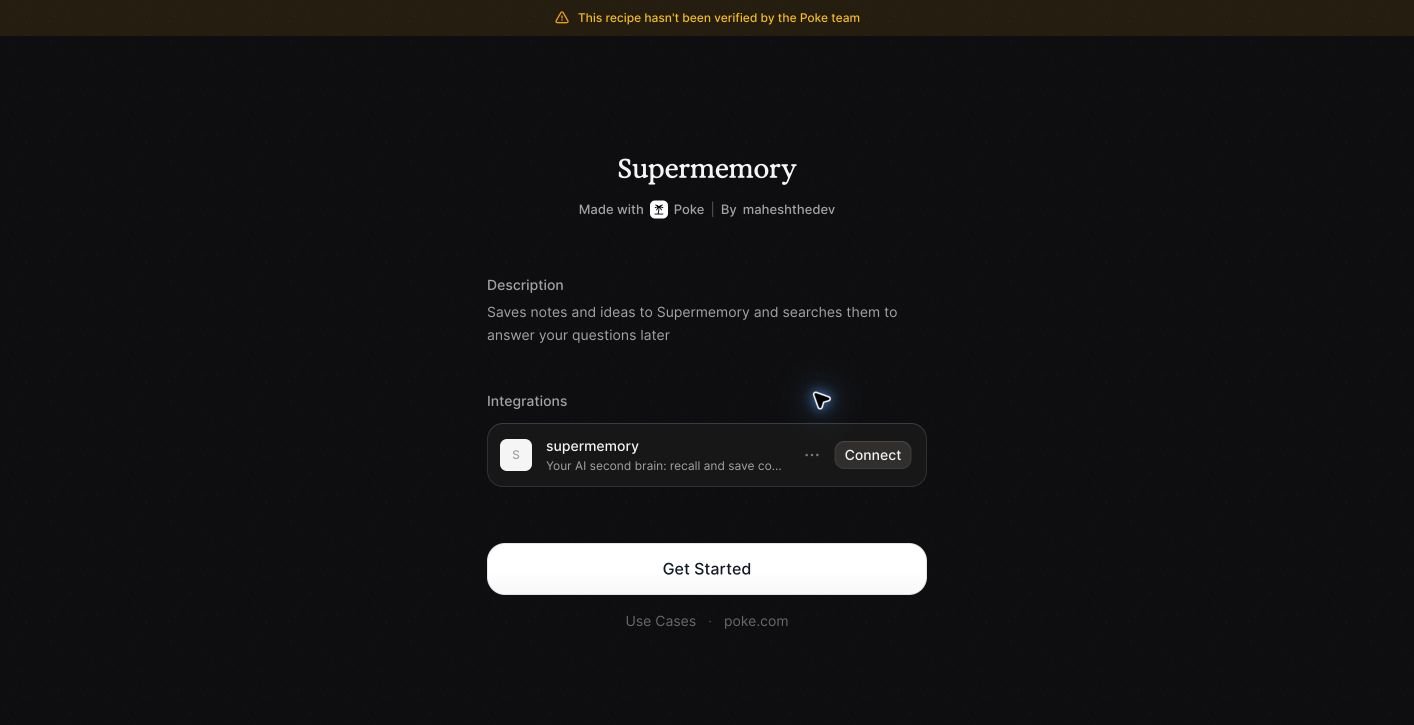
4
Enable the recipe
Confirm in Poke to enable the recipe against your Supermemory account.
5
Message Poke to test
Text Poke to save a note, then ask Poke to recall it.
How the Poke recipe calls Supermemory
Poke calls Supermemory through the recipe. Messages that save something add a memory to your active Space. Messages that ask for something search your memory and reply with the answer.What Poke saves and searches
- Save: the message content you send Poke to save
- Search: your memory, scoped to the Space Poke is connected to
Limitations of the Poke integration
- The Poke recipe currently displays an unverified recipe warning. Review the recipe before enabling it.
- Saves and recalls run against the Space selected during setup. Switching Spaces requires reconfiguring the recipe.
- Rich content like files is best added from the Supermemory app or a Space aware integration.
How to troubleshoot Poke
- Nothing was saved. Check the active organization and Space, and confirm the Poke recipe is enabled.
- A recall came back empty. Confirm the memory finished processing in Personal Brain and that it lives in the Space Poke is pointed at.
- Poke says it is not connected. Reopen the recipe from Personal Brain Integrations and confirm the connection status.
Related
Integrations
See every way to save and recall from Personal Brain.
Spaces
Keep different parts of your memory organized and separate.