> ## Documentation Index
> Fetch the complete documentation index at: https://supermemory-personal-brain-docs.mintlify.site/llms.txt
> Use this file to discover all available pages before exploring further.
# Integrations
> Save and recall your memory from the tools you already use
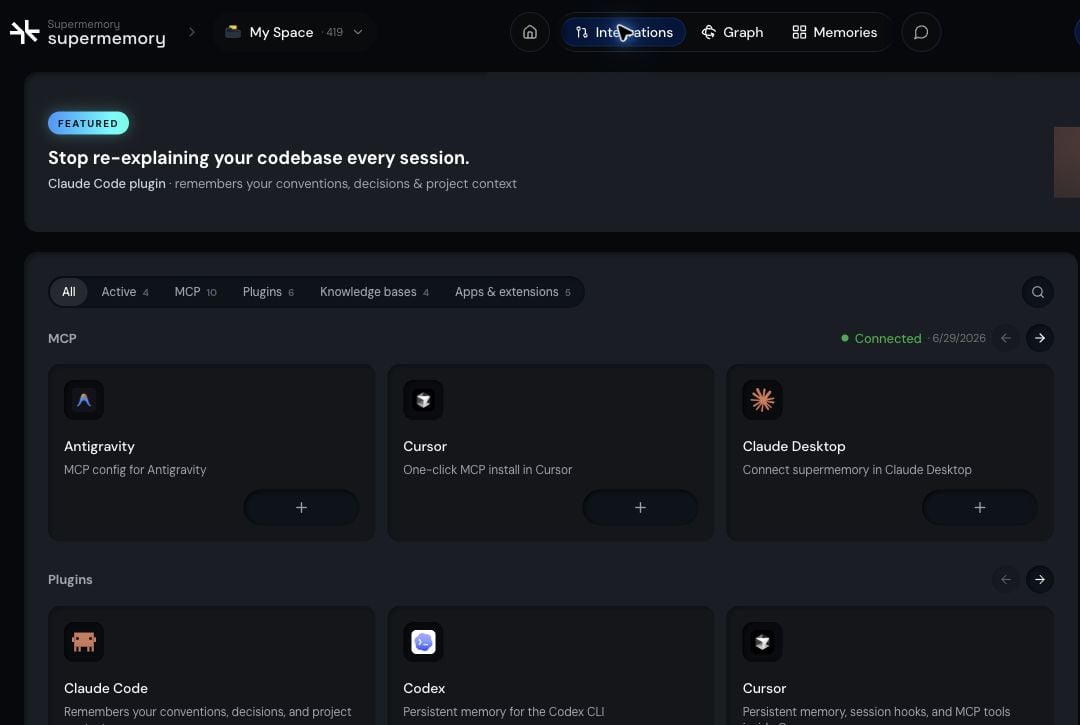
Personal Brain integrations fall into four patterns: **save** something new, **recall** what you already have, **import** existing content, and **sync** an external source so it stays current.
 ## The four patterns
| Pattern | What it does | Examples |
| ------- | ----------------------------------- | --------------------------------------- |
| Save | Adds something to memory | Apple Shortcuts, Raycast |
| Recall | Searches memory from another tool | Poke, Raycast |
| Import | Brings existing content into memory | X bookmarks, saved AI memories |
| Sync | Keeps an external source current | Google Drive, Notion, OneDrive, Granola |
## Available integrations
## The four patterns
| Pattern | What it does | Examples |
| ------- | ----------------------------------- | --------------------------------------- |
| Save | Adds something to memory | Apple Shortcuts, Raycast |
| Recall | Searches memory from another tool | Poke, Raycast |
| Import | Brings existing content into memory | X bookmarks, saved AI memories |
| Sync | Keeps an external source current | Google Drive, Notion, OneDrive, Granola |
## Available integrations
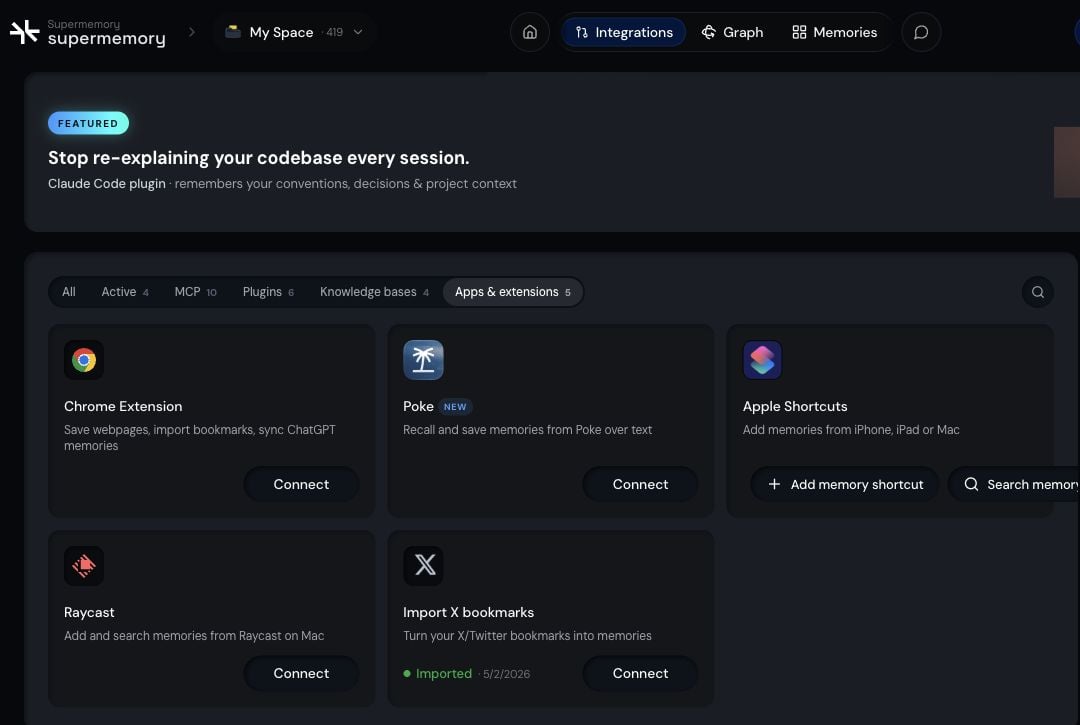 Save and recall by messaging Poke.
Save webpages and selections from any tab.
Save from Share Sheet, Siri, and automations.
Import your existing X bookmarks into memory.
Save and search from your launcher.
## MCP and plugins
Supermemory MCP connects compatible AI clients and coding agents to your Personal Brain so they can save and recall using the same memory. See [Supermemory MCP](/supermemory-mcp/mcp) for setup and supported clients.
## Data connectors
Data connectors keep external sources like Google Drive, Notion, OneDrive, and Granola synced into your memory. See [Connectors](/connectors/overview) for the full list and setup.
## Which one should I use?
* **Save a webpage you're reading** goes through the browser extension
* **Save from your phone or via Siri** goes through Apple Shortcuts
* **Save or recall from your launcher** goes through Raycast
* **Save or recall by texting** goes through Poke
* **Give a coding agent or AI client your memory** goes through MCP or a coding plugin
* **Keep a whole external source current** goes through data connectors
## Related
See how Personal Brain brings your saved context together.
Connect MCP-compatible clients to your memory.
Save and recall by messaging Poke.
Save webpages and selections from any tab.
Save from Share Sheet, Siri, and automations.
Import your existing X bookmarks into memory.
Save and search from your launcher.
## MCP and plugins
Supermemory MCP connects compatible AI clients and coding agents to your Personal Brain so they can save and recall using the same memory. See [Supermemory MCP](/supermemory-mcp/mcp) for setup and supported clients.
## Data connectors
Data connectors keep external sources like Google Drive, Notion, OneDrive, and Granola synced into your memory. See [Connectors](/connectors/overview) for the full list and setup.
## Which one should I use?
* **Save a webpage you're reading** goes through the browser extension
* **Save from your phone or via Siri** goes through Apple Shortcuts
* **Save or recall from your launcher** goes through Raycast
* **Save or recall by texting** goes through Poke
* **Give a coding agent or AI client your memory** goes through MCP or a coding plugin
* **Keep a whole external source current** goes through data connectors
## Related
See how Personal Brain brings your saved context together.
Connect MCP-compatible clients to your memory.